> For the complete documentation index, see [llms.txt](https://docs.mylinkconnect.com/llms.txt). Markdown versions of documentation pages are available by appending `.md` to page URLs; this page is available as [Markdown](https://docs.mylinkconnect.com/mobile-app/settings.md).
# Settings
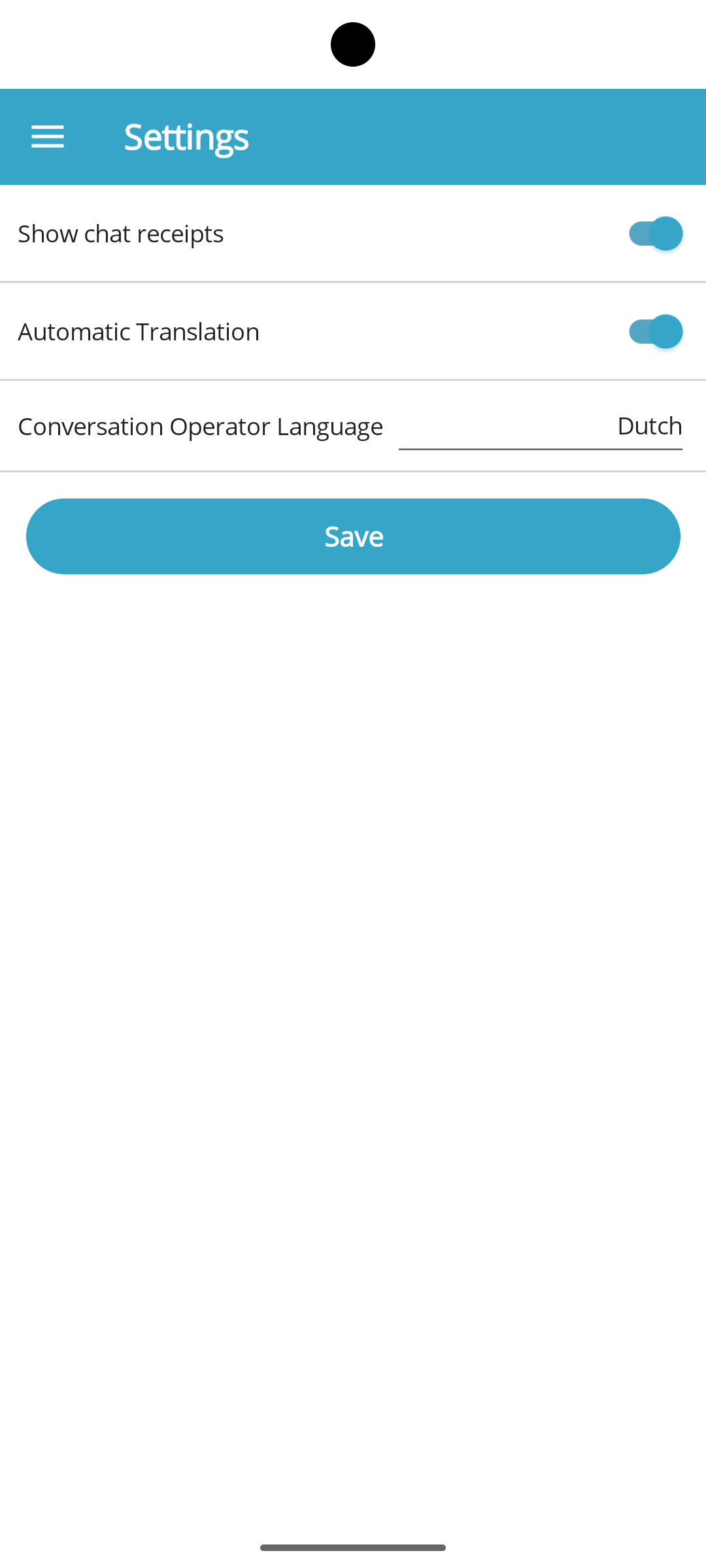
Customize the interface behavior and appearance in the Settings section of the mobile app.
**Key Settings**
| **Setting** | **Default State** | **Description** |
| --------------------- | ----------------- | --------------------------------------------------------------------------------------------------------------------------------------------------------------- |
| Show Chat Receipts | Enabled | A green circle next to your sent messages indicates a read receipt. Click the circle for detailed information, such as when the message was delivered and read. |
| Automatic Translation | Disabled | When activated, this feature automatically translates incoming messages into the language specified by the Conversation Operator Language setting. |
{% hint style="info" %}
For detailed instructions on configuring your desired translation language, please see the [Conversation Translation](https://app.gitbook.com/o/-LdPFF6076gHKBZeJJCf/s/vGYwUmVjfELEiJzfmWLC/mobile-app/conversation/conversation-translation) guide section.
{% endhint %}