> For the complete documentation index, see [llms.txt](https://docs.mylinkconnect.com/llms.txt). Markdown versions of documentation pages are available by appending `.md` to page URLs; this page is available as [Markdown](https://docs.mylinkconnect.com/actions-and-operations/integration/xenioo.bots.actions.base.integrations.zapierwebhookaction-1.md).
# Microsoft Teams Webhook Action
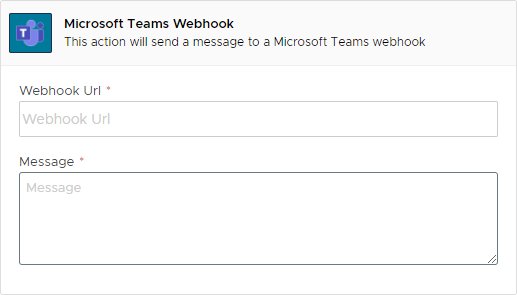
This action can be used to post to a standard text message to a [Microsoft Teams Webhook](https://learn.microsoft.com/en-us/microsoftteams/platform/webhooks-and-connectors/how-to/add-incoming-webhook?tabs=newteams%2Cdotnet).
### Settings
The action uses the following settings:
| Setting | Description | [Parsed](/actions-and-operations/dynamic-parsing.md) |
| ----------- | ------------------------------------------------------- | ---------------------------------------------------- |
| Webhook URL | The Webhook URL that Teams has created for your channel | :white\_check\_mark: |
| Message | The message you wish to send to the channel. | :white\_check\_mark: |
### Remarks
There are not special remarks about this action.
### Trigger
This action has no triggers.
### Variables
This action does not create any variable.
### Availability
Channel specific availability follows the table below:
| Channel | Availability |
| ---------------- | ---------------- |
| Facebook | Fully Available. |
| WhatsApp | Fully Available. |
| Telegram | Fully Available. |
| Web | Fully Available. |
| Alexa | Fully Available. |
| Google Assistant | Fully Available. |
| Slack | Fully Available. |
| API | Fully Available. |
### Further Reading
{% embed url="" %}